

How to Reconcile an Account in Invent ERP?
How to Reconcile an Account in Invent ERP?
Accurate reconciliation is essential for maintaining reliable financial records. Invent ERP makes the reconciliation process simple by allowing you to match your system transactions with you bank statements, handle differences, and keep your accounts balanced with confidence.
Step-by-Step Process
Step 1: Access the Accounting Module
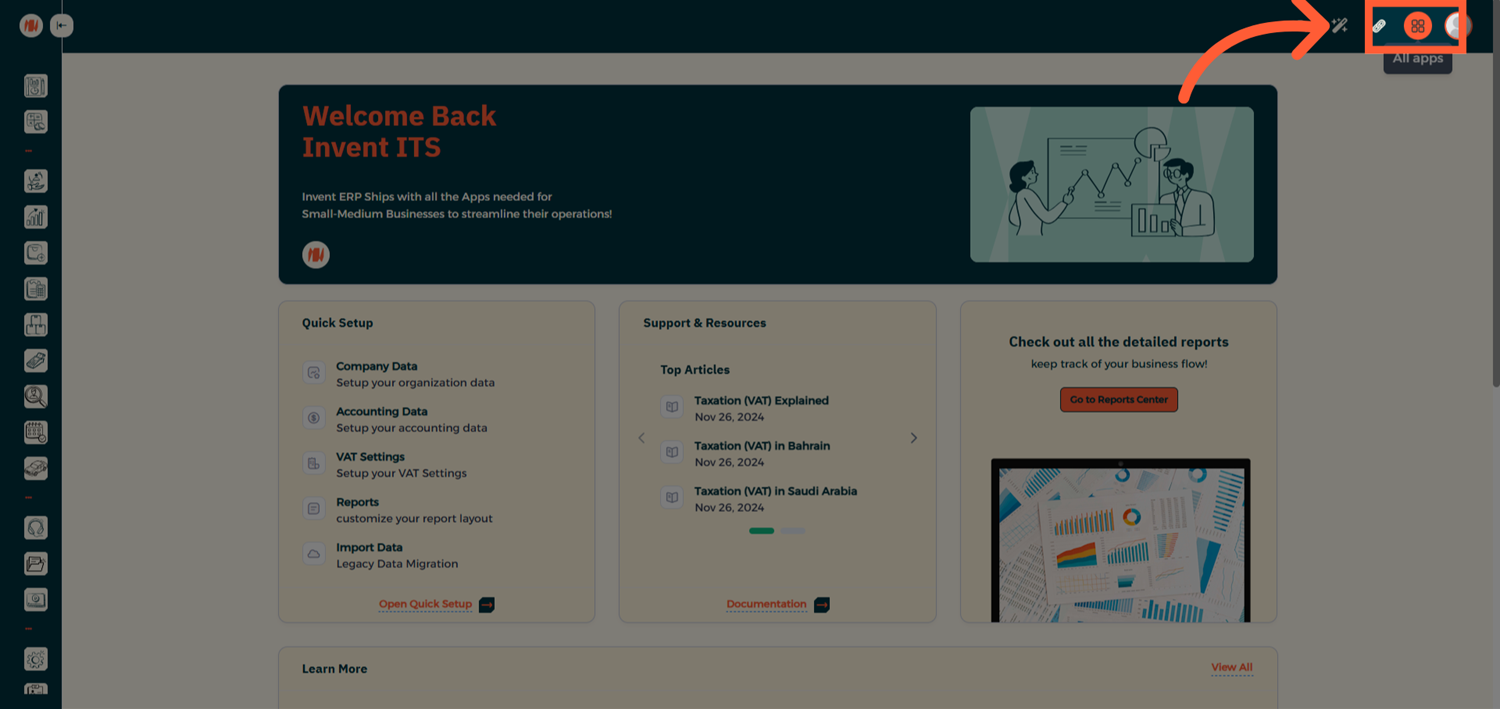
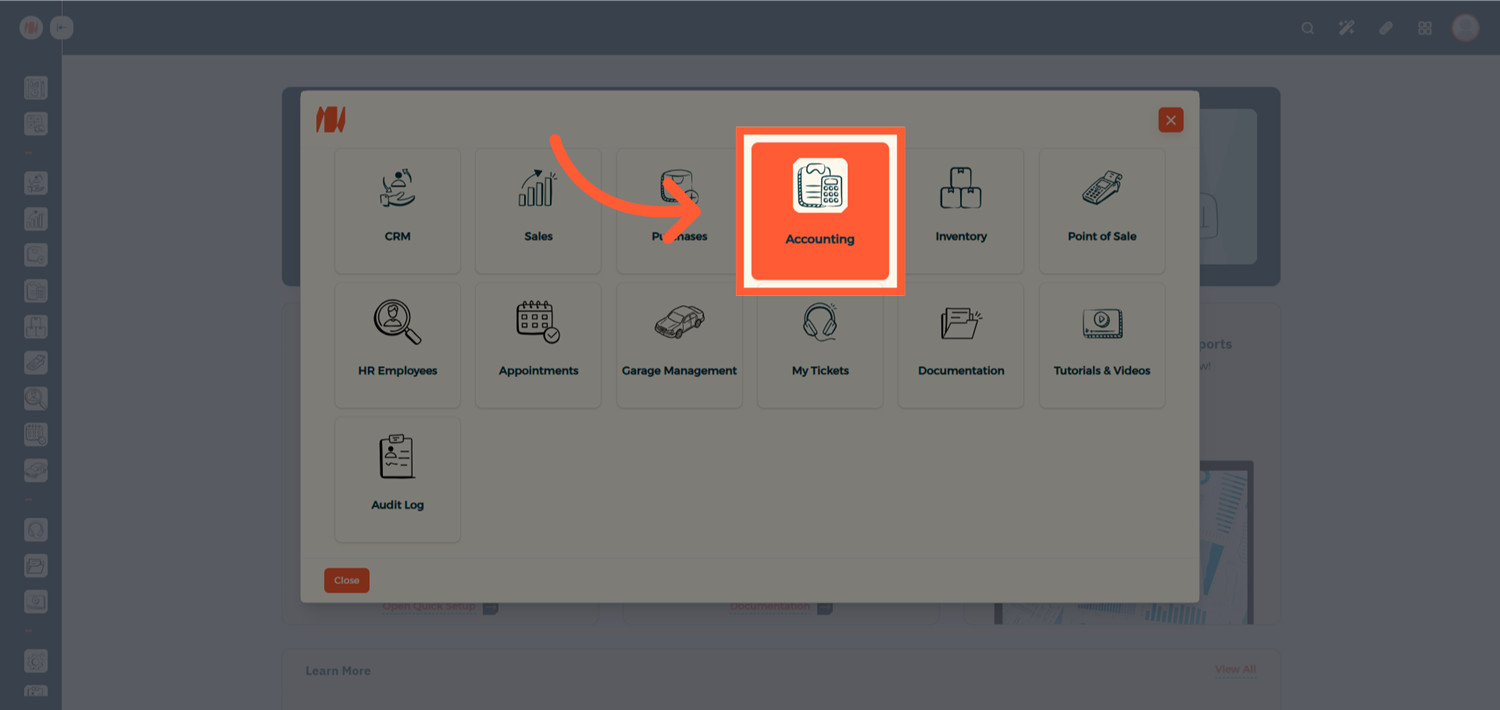
From the Homepage, click on All Apps, then navigate to the Accounting Module.
Step 2: Open the Journal Dashboard
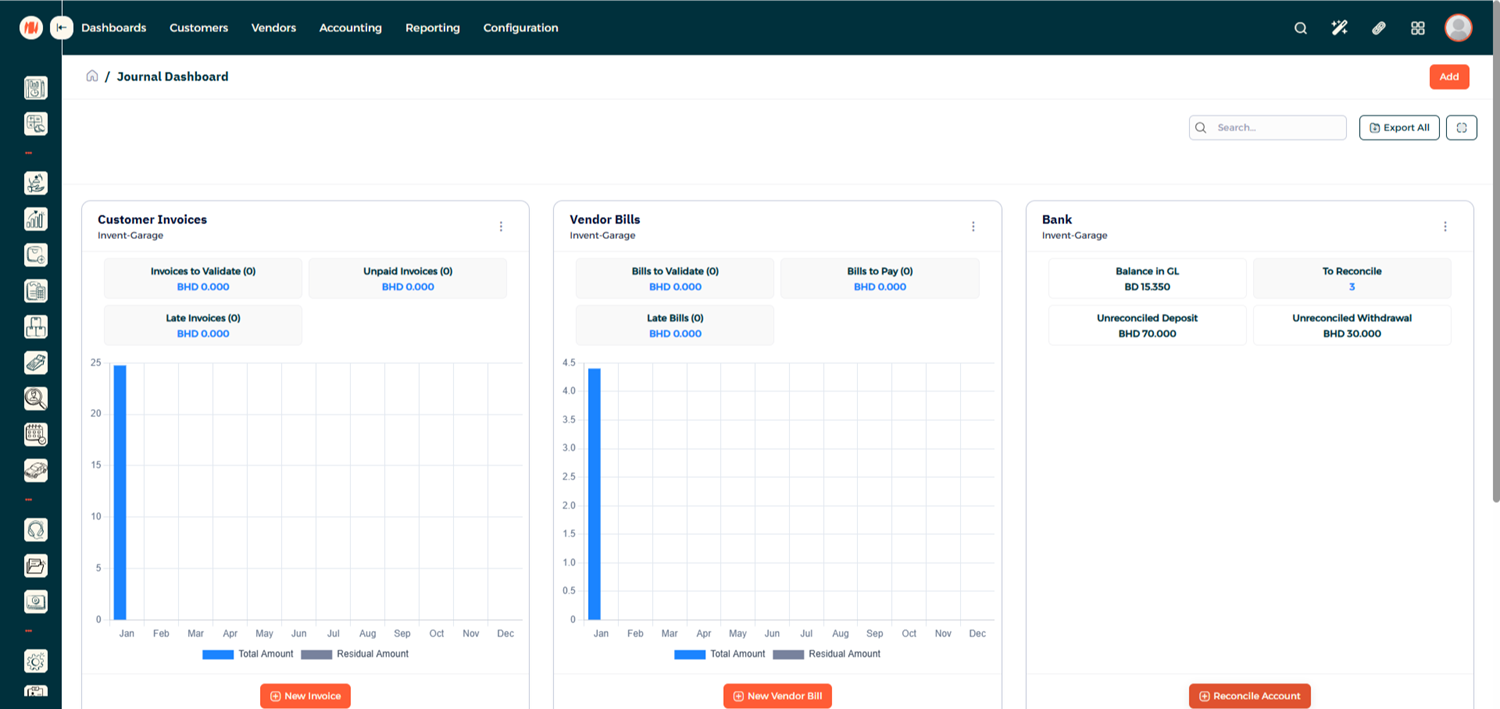
Once inside Accounting, you'll be directed to the Journal Dashboard, where you can view your bank accounts and journal details.
Step 3: Start a New Reconciliation
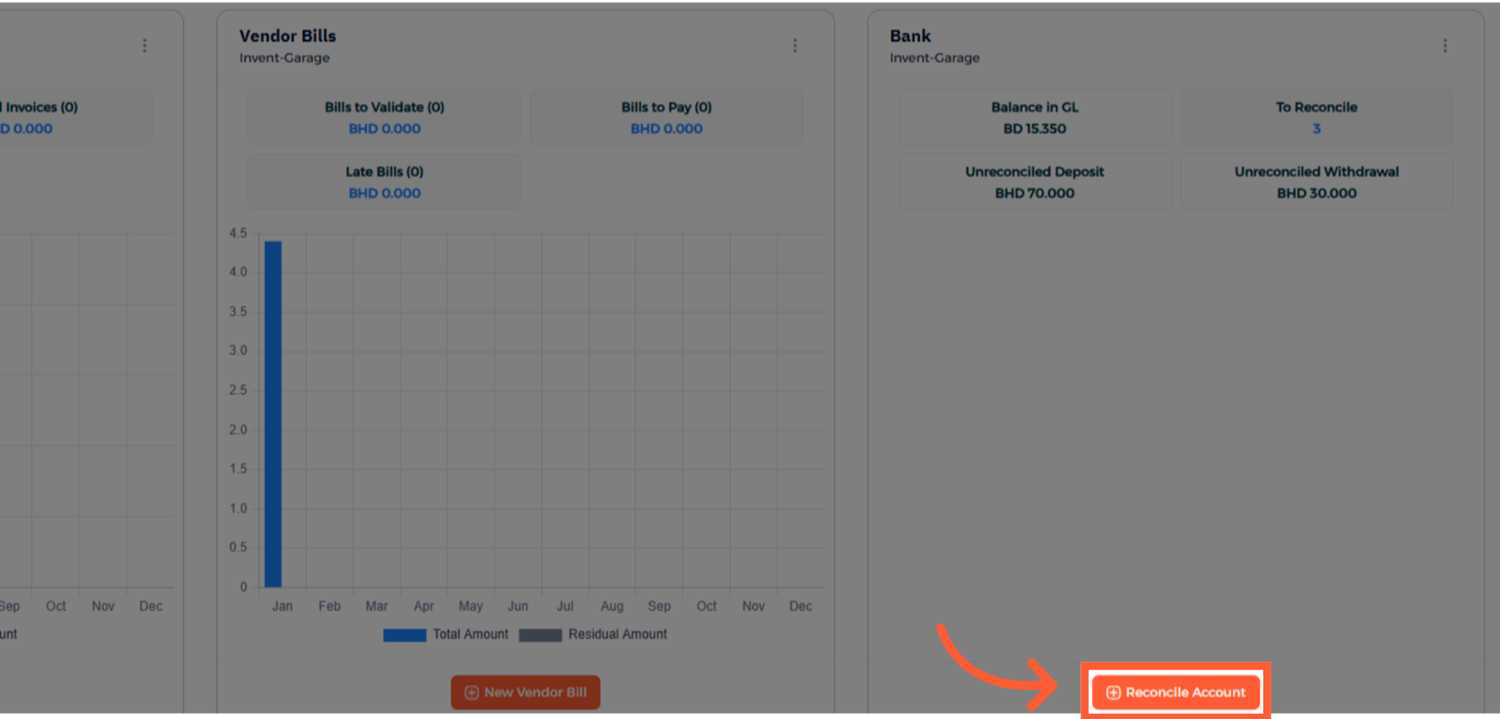
Select the bank account you want to reconcile and proceed with starting a new reconciliation.
Step 4: Enter the Closing Balance
Enter the Closing Balance based on your bank statement for the selected reconciliation period, and click Create.
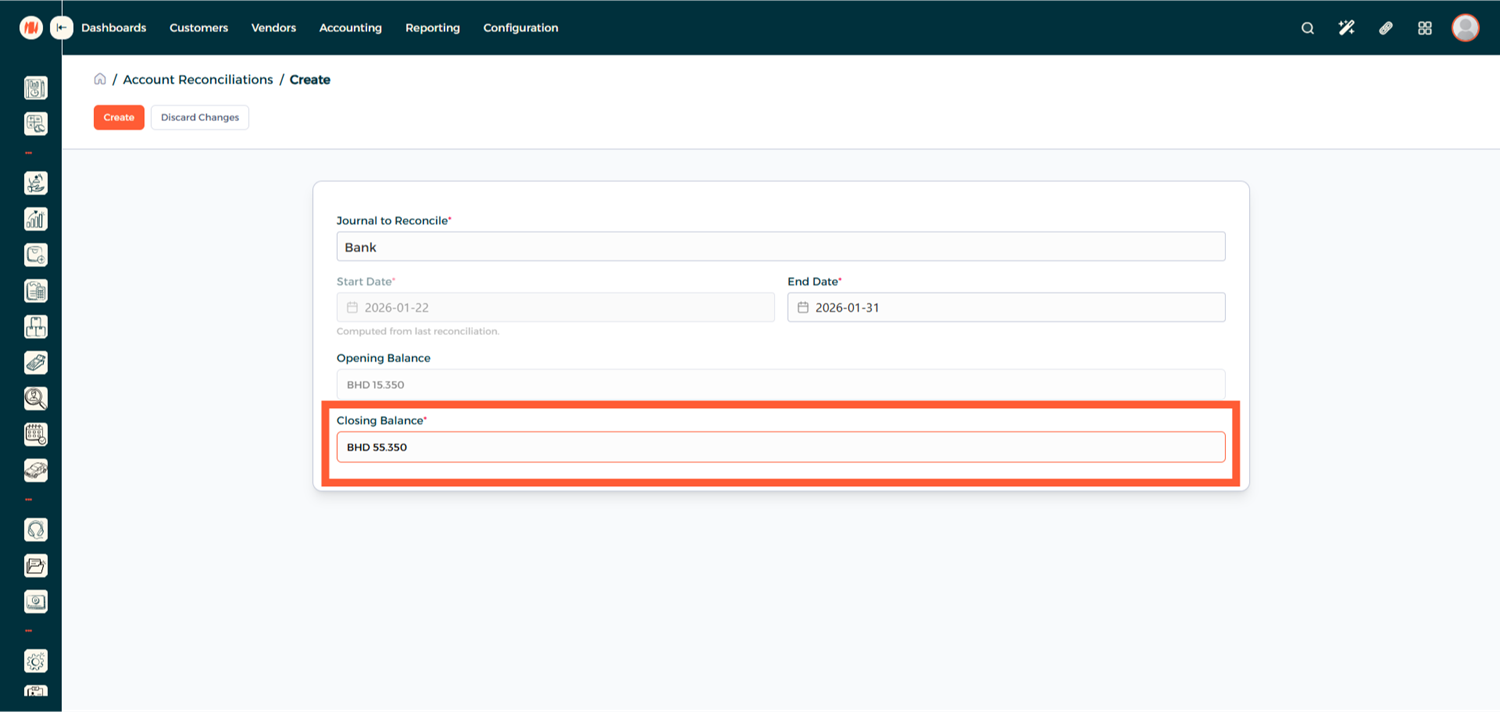
Step 5: Review Transactions
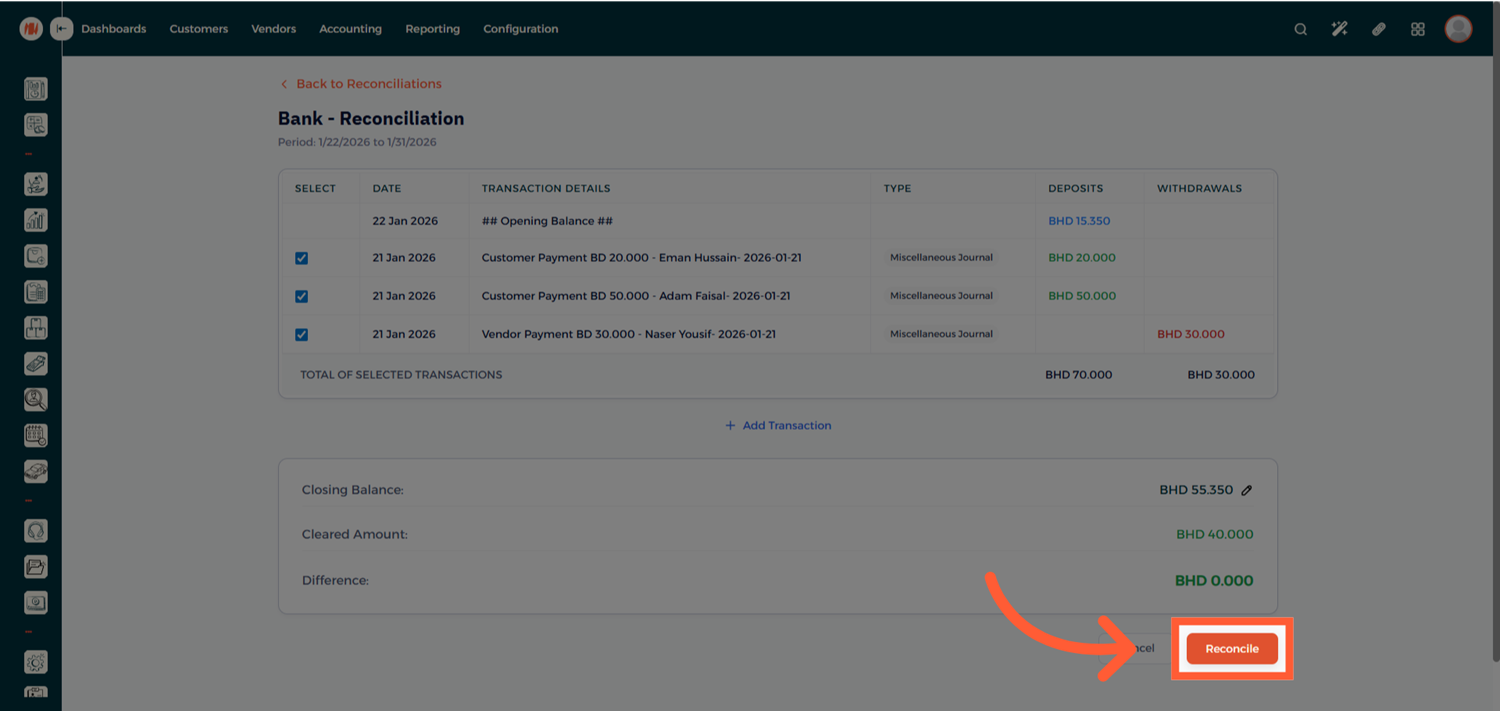
You'll now see a list of transactions linked to the selected account. Tick the checkbox for each transaction that matches your bank statements.
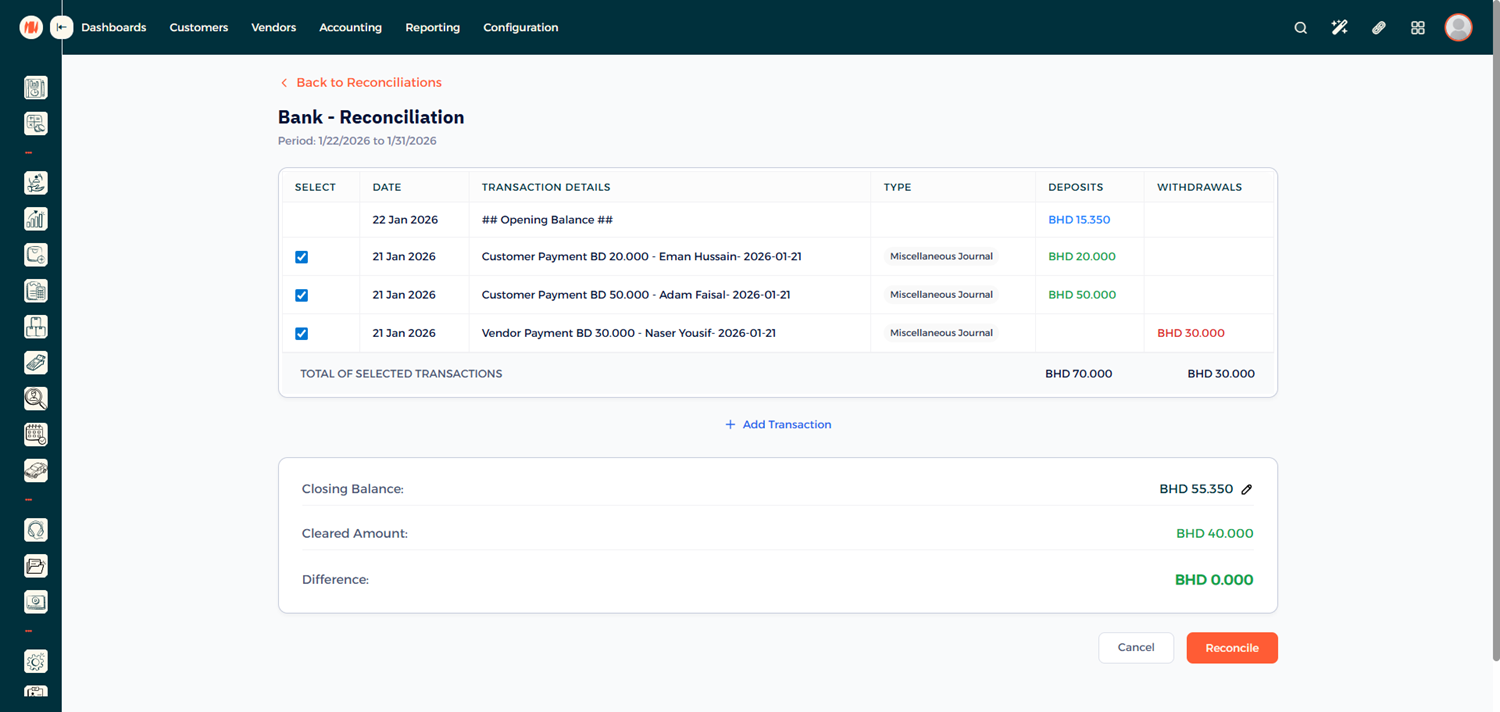
Step 7: Handle Differences (If Any)
If there is a difference between the system balance and your bank statement:
- Add a Manual Transaction
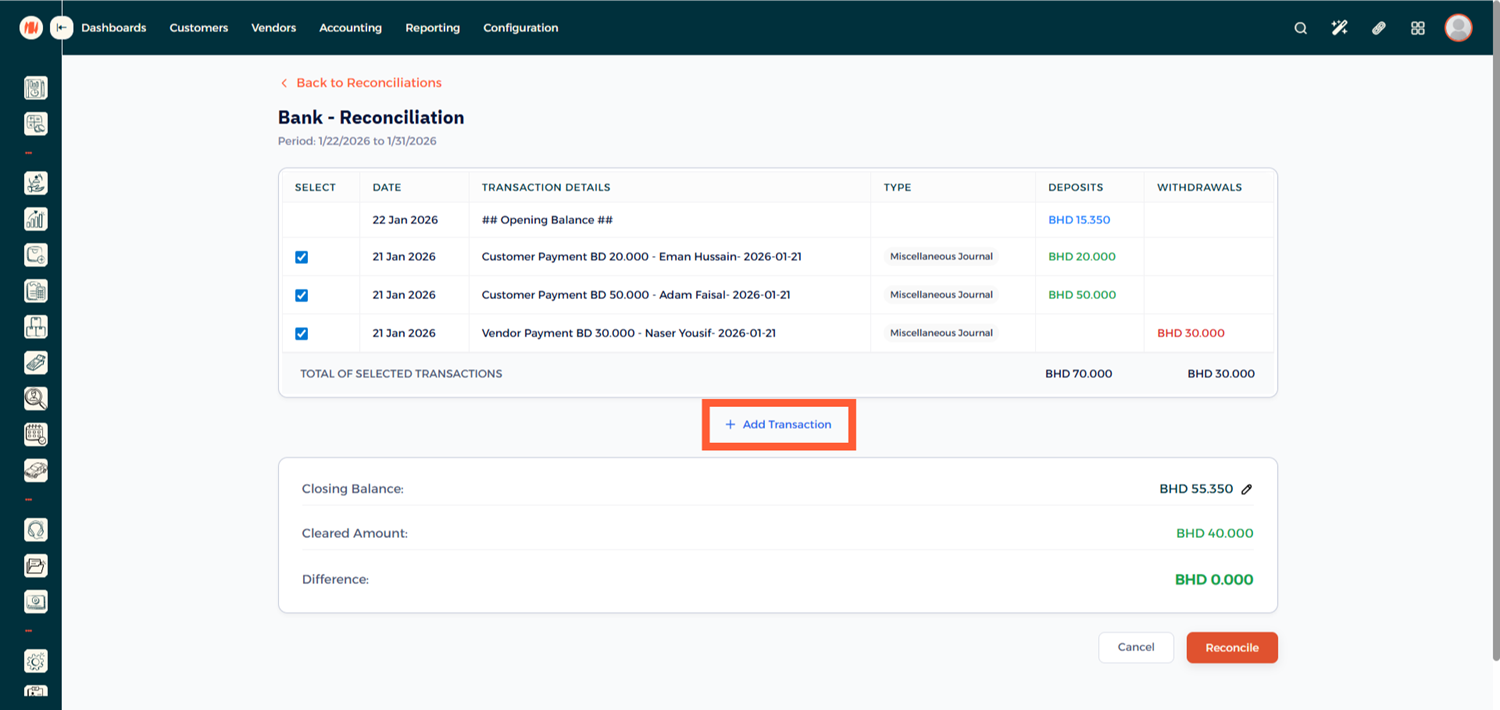
- Specify whether it is a Deposit or Withdrawal
- Select the Appropriate Account
- Enter the Correct Amount
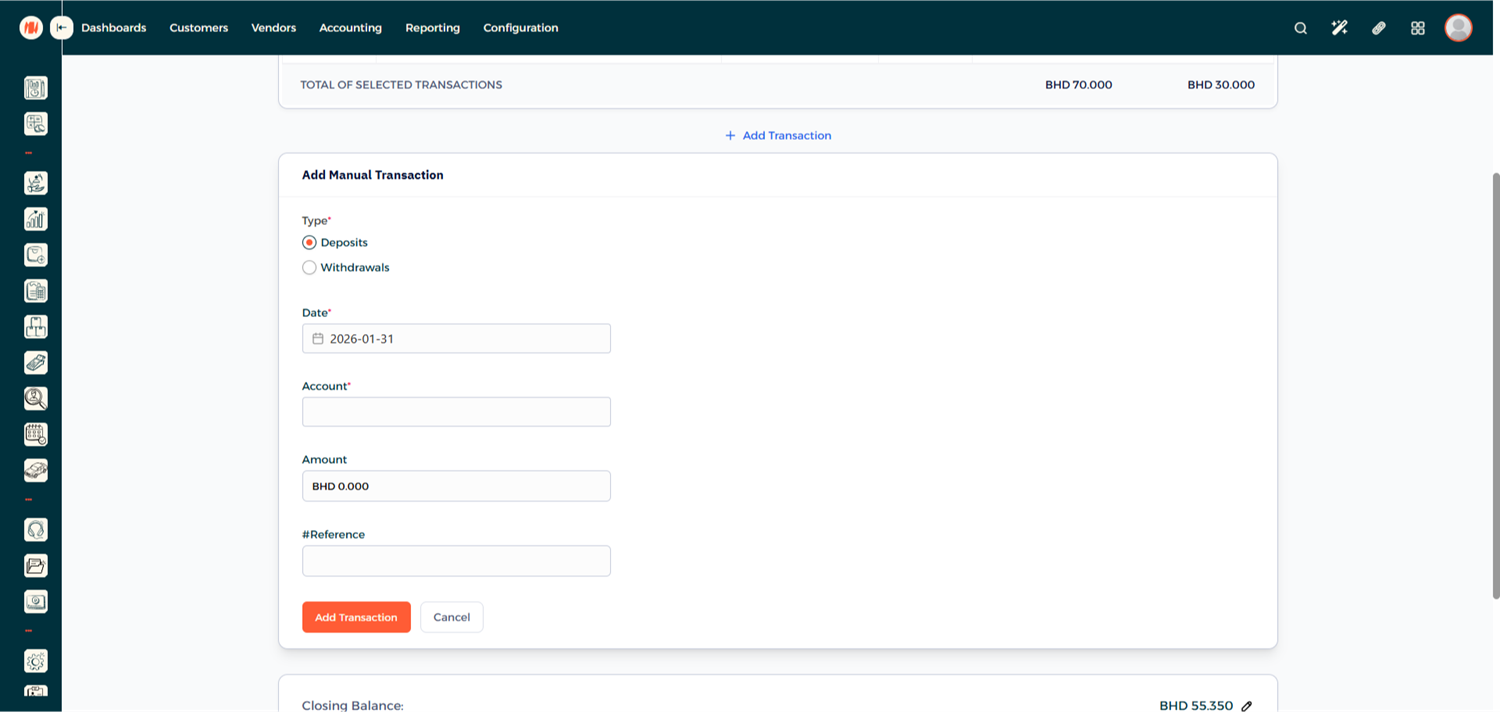
Step 8: Complete the Reconciliation
Once all transactions are reviewed and the balance matches, click Reconcile.
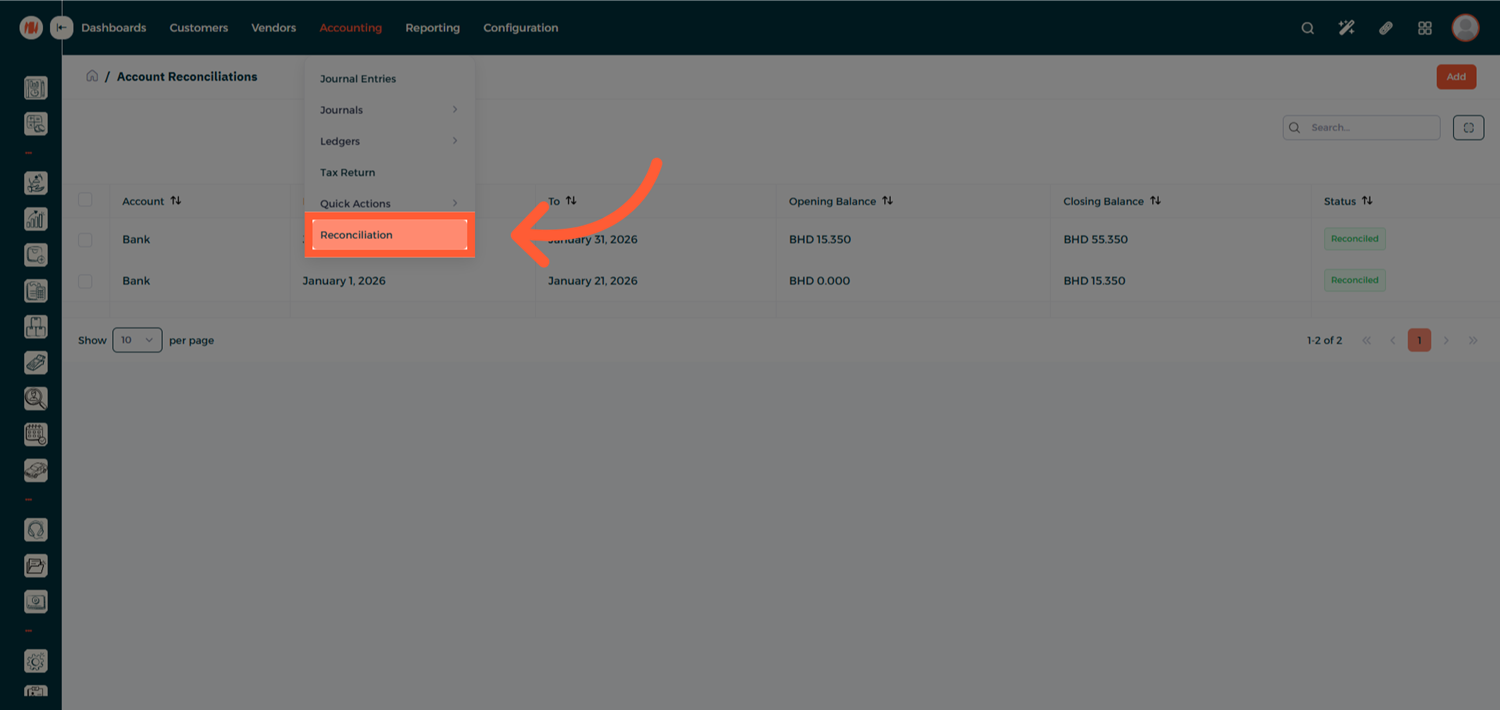
Step 9: Review Reconciled Records
Your account is now successfully reconciled. You can revisit the reconciliation record at any time for review or auditing purposes.
Notes & Tips
- Reconcile accounts regularly to avoid large discrepancies.
- Use manual transactions only when necessary and ensure they are properly documented.
- Reconciled entries remain accessible for future reference and reporting.
Frequently Asked Questions (FAQ)
Q: Can I edit a reconciliation after it's completed?
A: Reconciled records can be reviewed, but changes may require reversing or adjusting entries depending on your accounting setup
Q: What happens if I don't reconcile regularly?
A: Delayed reconciliation can make discrepancies harder to track and may impact financial accuracy.
Q: Can I reconcile multiple bank accounts?
A: Yes, each bank account can be reconciled individually from the Journal Dashboard.